Notes
Your session notes, prep and lore, and the things players said: a library of notes grouped by session, kind and tag, with your Notion workspace one click away. Anything you open gets a tab.
- Where
- Notes, in the rail
- Saved
- As you type, on your PC
- Works with
- Notes tiles, Notion, Trades
Writing a note
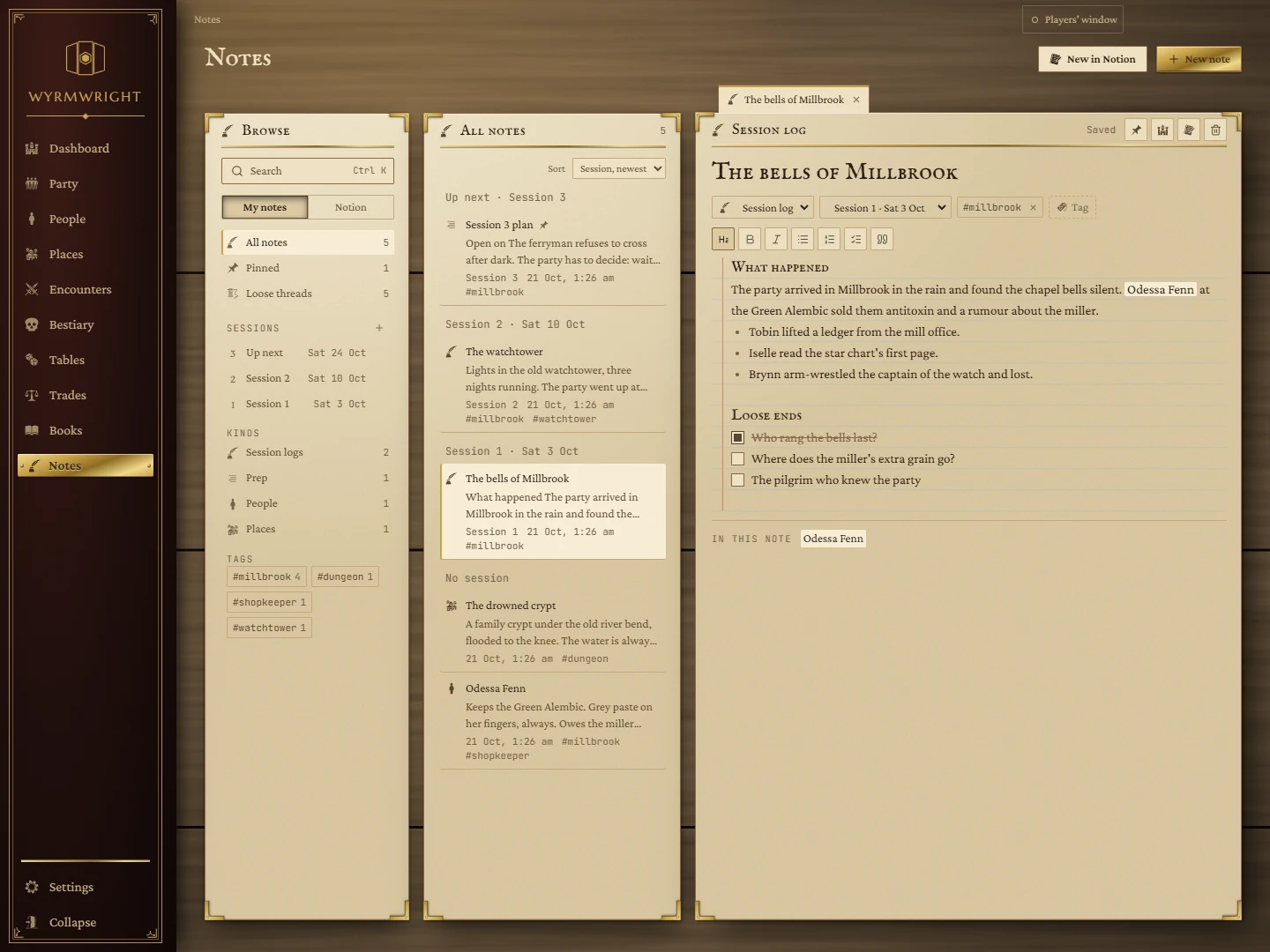
Press New note. Give it a title (Enter jumps into the body) and write; it saves as you type, and the corner says Saved. Under the title:
- Kind: Session log, Prep, Person, Place, Quest, Lore or Unsorted.
- Session: which session it belongs to.
- Tags: press Tag to add one; the cross on a tag removes it.
The toolbar has headings, bold, italic, bulleted and numbered lists, boxes to tick, and quotes. Typing - or [ ] at the start of a line works too.
@names
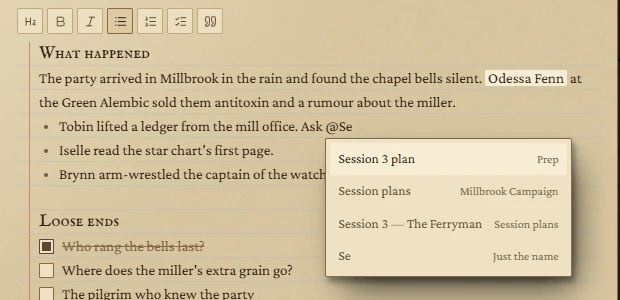
Type @ and a few letters to name someone or something: a note, a Notion page, or just a name. Pick with the arrow keys and Enter. Every @name in the note is listed at the foot under In this note, and clicking one opens what it points to.
The buttons at the top right of a note: Pin, Put this note on the board (adds a Notes tile showing it), Copy to Notion, and Delete this note (asks first).
Finding notes
Browse
- Search (Ctrl + K from anywhere on the page) searches your notes and, if connected, your Notion. Enter opens the top note.
- All notes, Pinned (pinned notes and Notion pages), and Loose threads: every box left unticked in any note, in one list. Tick one there and it ticks in its note.
- Sessions: press + to add a session with its number, day and, optionally, its plan page in Notion. The next one is marked Up next.
- Kinds and Tags: click to show only those notes; click the tag again to clear it.
The list
The middle column lists the notes on the shelf you picked, with a few lines of each. Sort by session (newest first, grouped), last edited, newest, or title. Pinned notes come first.
Your Notion, beside your notes
Switch Browse from My notes to Notion to see your Notion workspace as a tree. Click a page to open it in a tab; use the arrows to unfold. The refresh button reads Notion again.
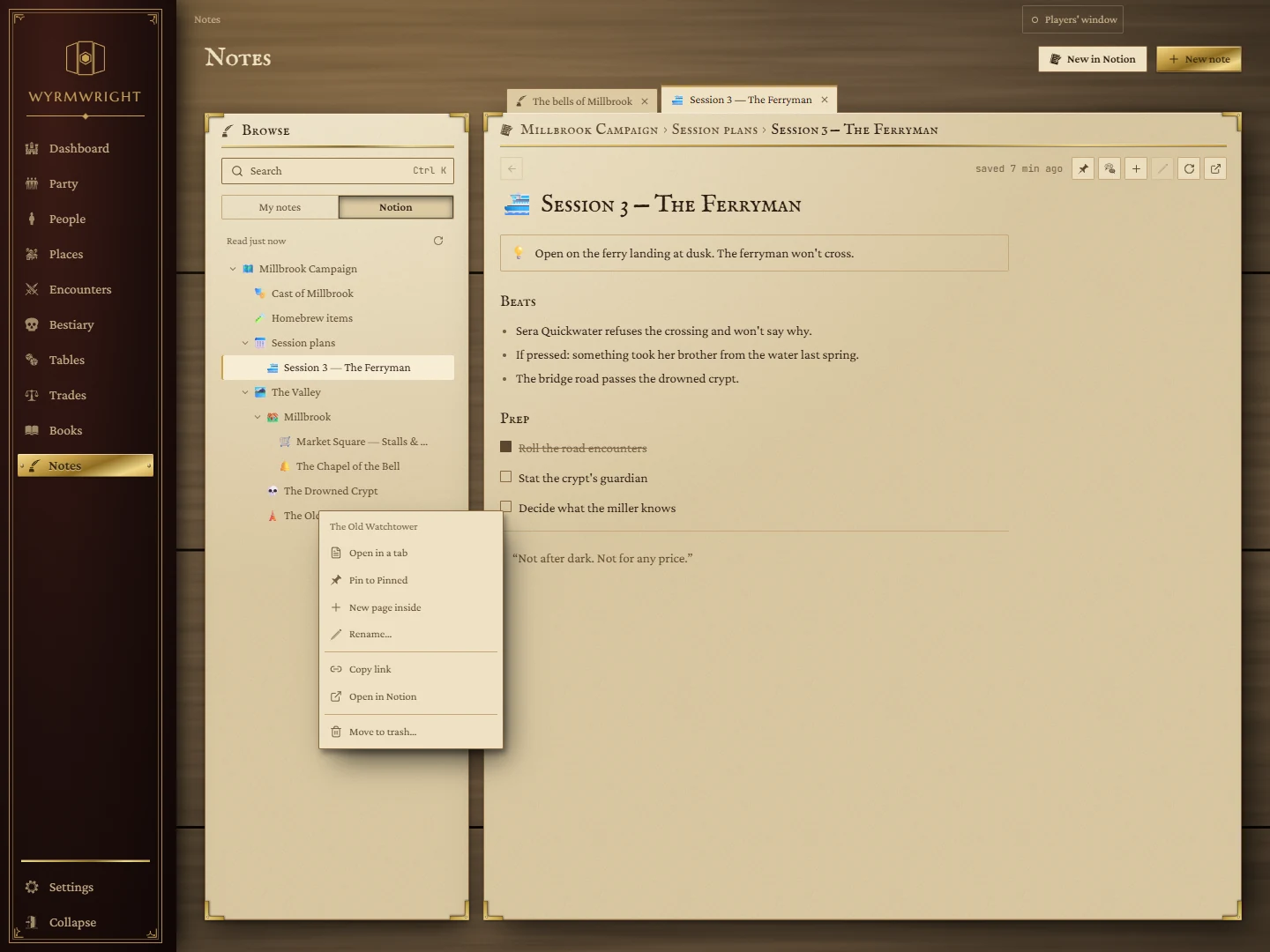
Right-click a page (in the tree, a pin or a tab) for: Open in a tab, Pin to Pinned, New page inside, Rename…, Copy link, Open in Notion, and Move to trash…. An open Notion page also has a Comments button to read and add comments.
New in Notion at the top makes a page, or a row in a database, in Notion. Started from a note, it can carry the note's words across and link the two.
If Notion isn't connected, the Notion view shows the Connect Notion form.
Homebrew from your notes
Hover a heading, or a line that is all bold, naming an item for sale, and press Add to Trades. It becomes a homebrew item on the Trades page, taking its price, rarity and description from the text under it.