Tables
Your roll tables, ready to roll, and a list of everything you rolled tonight. A table is a die and what each roll means; paste one in from your notes or build it row by row.
- Where
- Tables, in the rail
- Dice
- d2 to d1000
- Saved
- Tables and every roll, on your PC
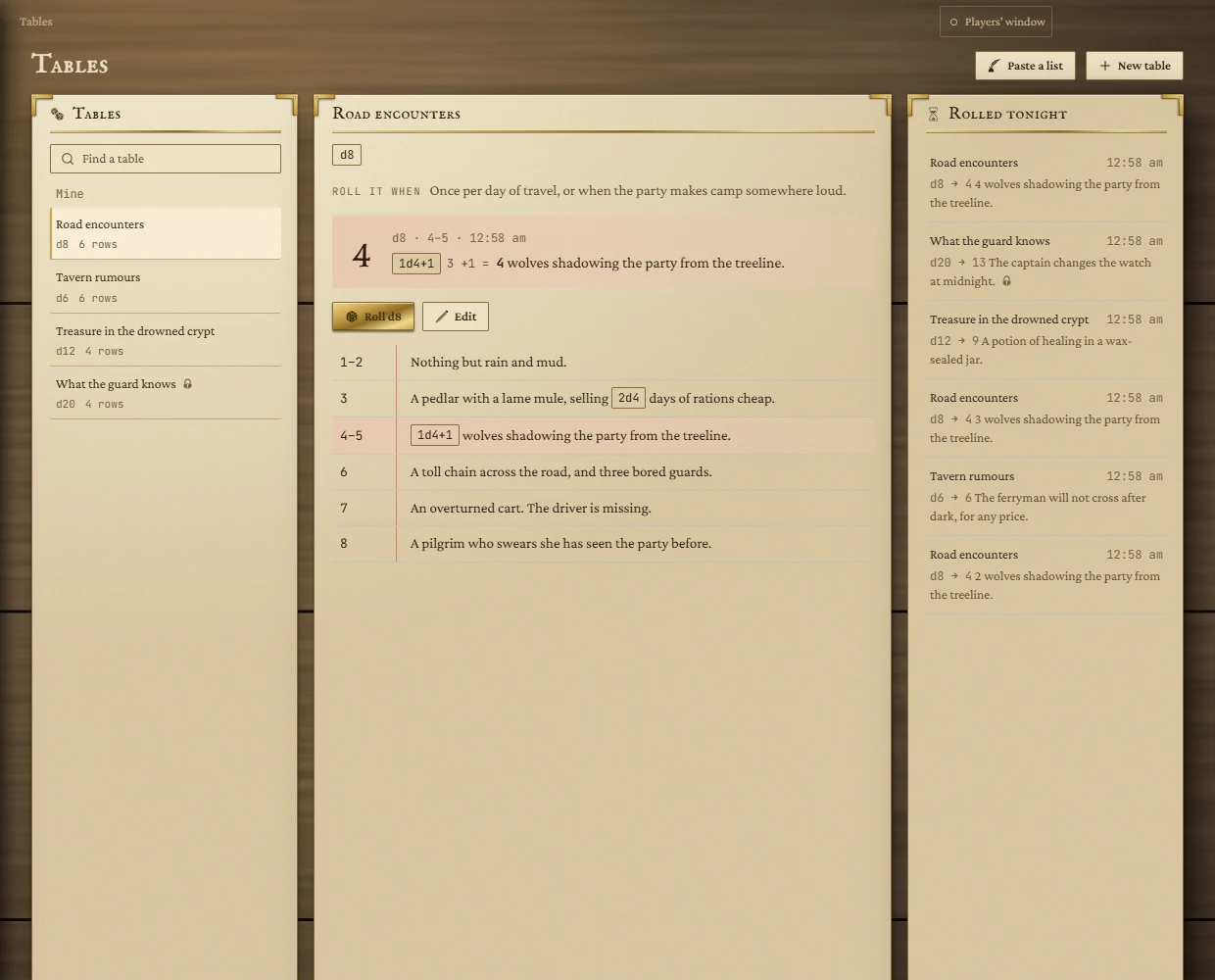
The three columns
- Tables: every table you have. Type in Find a table to narrow the list. Tables linked to a Notion page are grouped under From your notes, the rest under Mine. A lock marks a table whose rolls are secret.
- The open table: its die, when to roll it, the latest roll and every row, with the rolled row highlighted.
- Rolled tonight: every roll from every table in the last 12 hours, newest first. Click a roll to open its table.
Rolling
Open a table and press Roll d8 (the button names the table's die). The number you rolled shows large, with its range, the time and the result. Any dice written in a result, such as 2d4+2, are marked in the row and roll along with it when that row comes up, showing their working.
If the table has a gap and the roll lands in it, the result says Nothing on that roll: this table has a gap there. If you edit a table after rolling, the old roll is marked Rolled before the table was last changed.
Making a table
Paste a list
- Press Paste a list.
- Paste or type one result per line. A range at the start of a line (
1-3:or7+) is kept; without ranges each line gets the next number. - The rows fill in below as you type, and the die follows the list. Check the die is the one the table is meant for and pick another if not.
- Give the table a name and press Make the table.
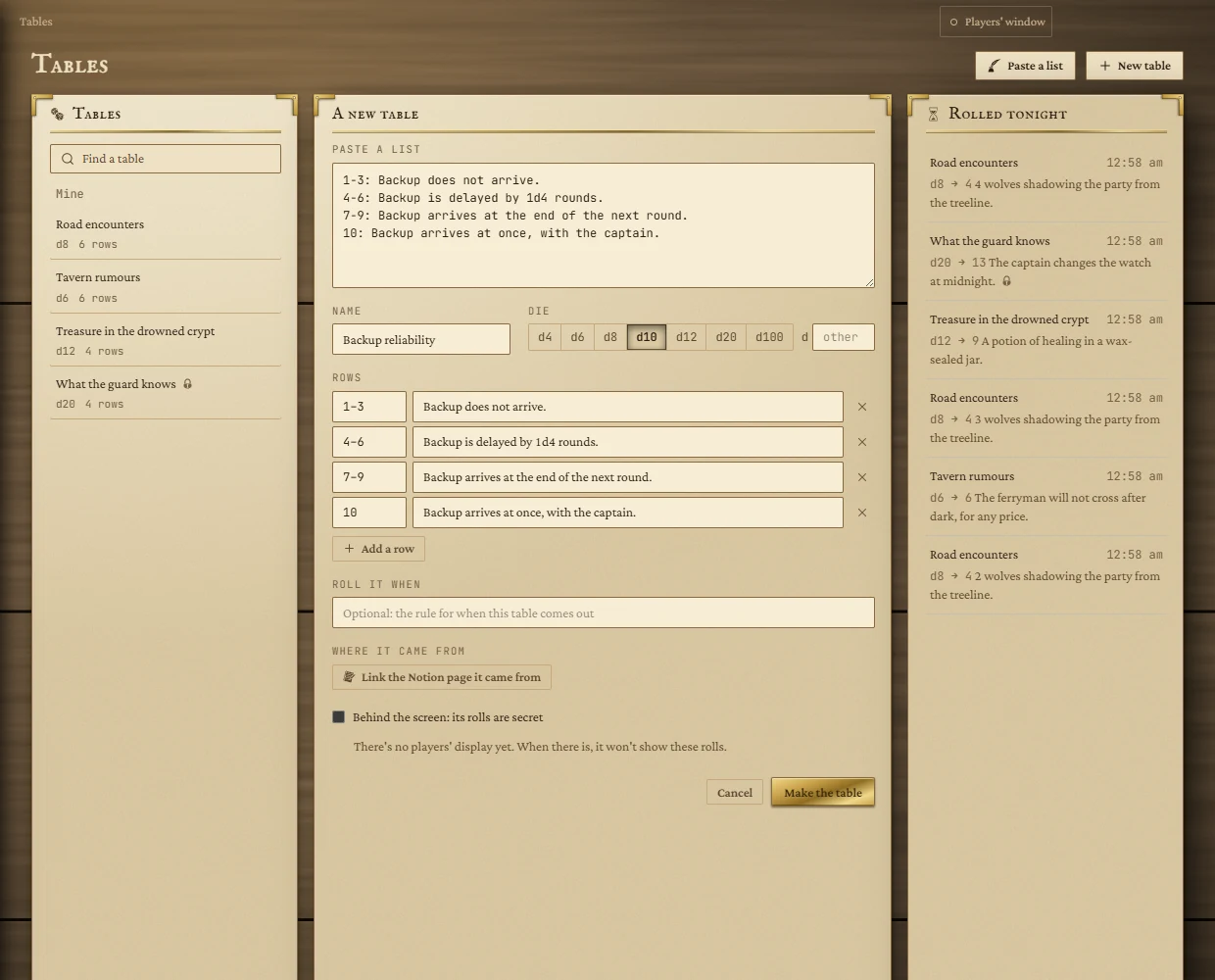
Build it by hand
Press New table, name it, pick the die (or type any size from d2 to d1000 in other), and fill in the rows. Each row's range can be a single number (3), a span (1-3) or an open end (7+). On a d100, 00 means 100. Use Add a row for more and the cross to remove one.
The other boxes
| Box | What it does |
|---|---|
| Roll it when | An optional note shown above the rolls, for the rule that brings the table out. |
| Where it came from | Links the Notion page the table was copied from, so you can get back to it. It is only a link: nothing syncs. Needs Notion connected. |
| Behind the screen | Marks the table's rolls as secret, shown with a lock. |
Problems the editor points out
Before you save, the editor warns about rows that don't add up: a gap (Nothing on 4–5), an overlap (More than one row on 3) or a range past the die. A table needs a name and at least one row.
Changing and deleting
Open a table and press Edit. Press Save to keep changes; leaving with unsaved changes asks first. Delete table asks you to confirm, and the rolls already made stay in the log.