Web page
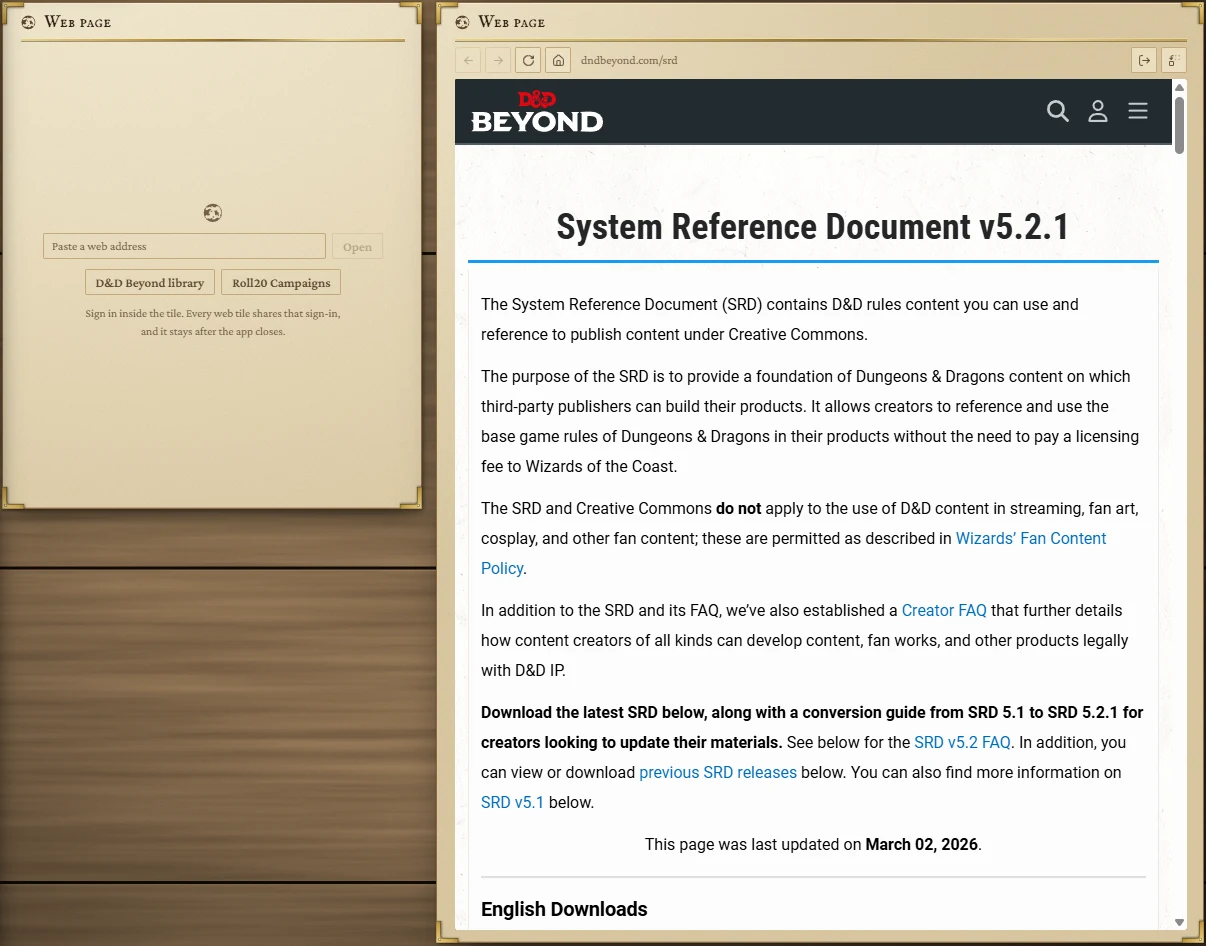
A website on the board: your D&D Beyond library, a Roll20 game, a wiki, a soundboard. Sign in once inside the tile and every web tile stays signed in, even after you close the app.
- Default size
- 7 × 8 (smallest 4 × 4)
- More than one
- Yes
- Works with
- Pop-out
Opening a page
Paste a web address into the box and press Open, or press one of the two shortcuts: D&D Beyond library or Roll20 Campaigns. You can leave off the https://; the tile adds it.
Only secure https:// pages open in a tile. Ordinary http and email links open in your usual browser instead.
Signing in
Sign in to a site inside the tile, the way you would in a browser. Sign-in windows (such as Google's) open as small separate windows and close when you're done. Every web tile shares one sign-in, so signing in to D&D Beyond in one tile signs in every tile, and it lasts after the app closes.
The toolbar
| Button | What it does |
|---|---|
| Back, Forward | As in a browser. |
| Reload | Loads the page again; while loading it becomes Stop loading. |
| Home | Back to the page you first chose for this tile. |
| Address | Where you are. Hover to read the full address. |
| Sign out | Signs this tile's site out (see below). |
| Choose another page | Empties the tile so you can pick another site. |
The tile remembers the last page you were on and returns there next time.
Signing out

Press the sign-out button and confirm with Sign out. That site's sign-in and saved data are cleared from every web tile; other sites stay signed in. If you signed in with Google, Google itself stays signed in, so signing back in is one click.
Pop-outs
When a page in a tile opens a window of its own on the same site, such as Roll20's chat or a character sheet, it docks on the board as a Pop-out tile beside this one.
When a page won't load
The tile says This page did not load and why: no internet connection, an address that couldn't be found, a site that refused or took too long, or a security certificate that wasn't accepted. Press Try again or Choose another.