Trades
Everything your shops sell and charge, in one place: the built-in trades from the SRD, your own trades, your homebrew items, and what magic items cost by rarity. Every Store Inventory shop restocks from here.
- Where
- Trades, in the rail
- Feeds
- Store Inventory, Price Board
- Saved
- As you change it, for every shop
What a trade is
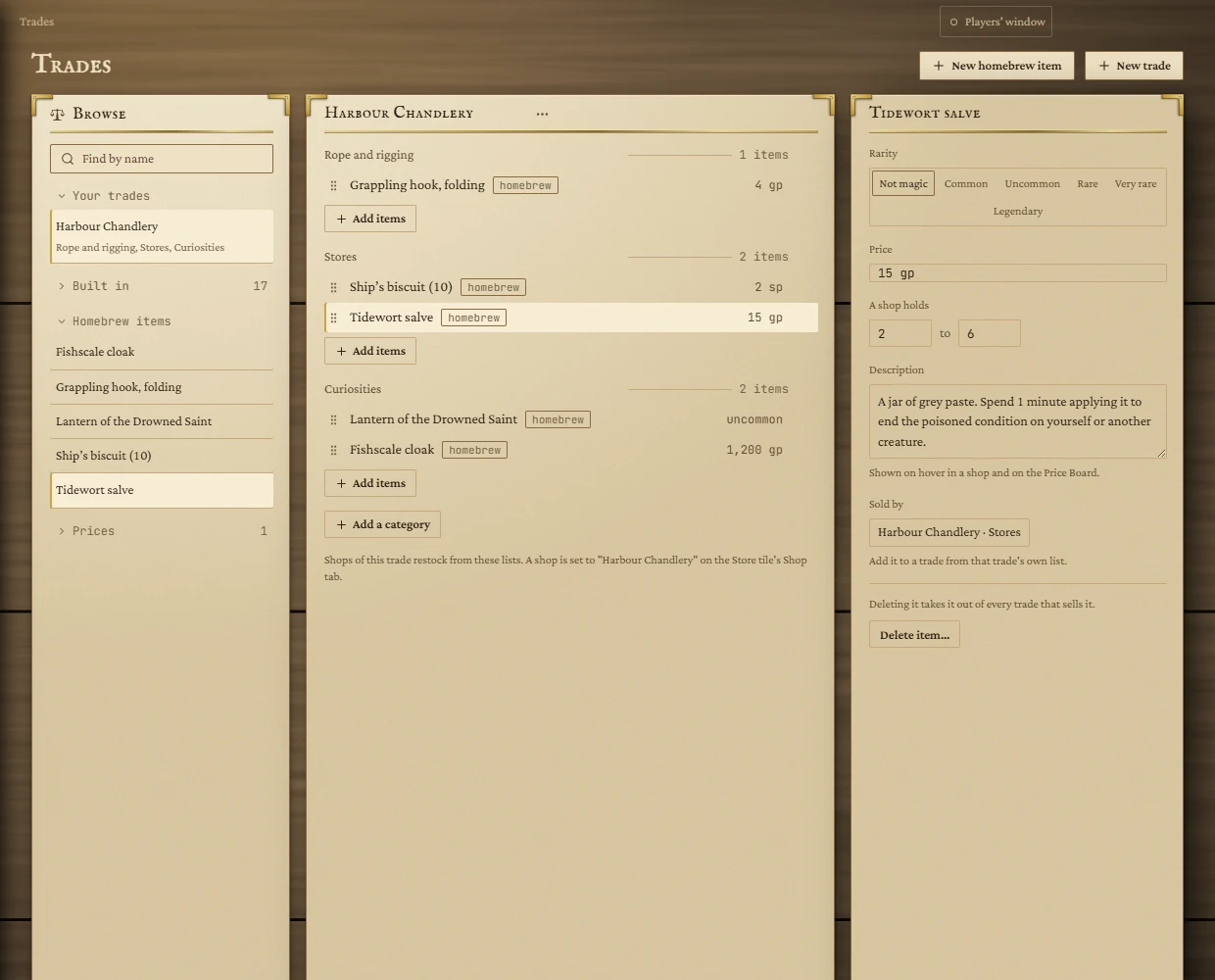
A trade is the lists a shop restocks from, grouped into categories: a smithy has melee weapons, armour, shields and smith's goods; an alchemist has potions and reagents. When you open a shop on a Store tile you pick its trade, and every restock draws from that trade's lists.
Browse
The left-hand card holds four groups. Click a group's name to fold or unfold it; folded, it shows how many it holds. Typing in Find by name searches every group at once.
- Your trades: the ones you made or copied.
- Built in: seventeen trades that follow the SRD's equipment lists: Smithy, Fletcher, Alchemist, Outfitters, Ironmonger, Tailor, Leatherworks, Stables, Shipwright, Scribes, Arcanist, Curios, Temple, Jeweller, Tavern, Market and Toolmaker.
- Homebrew items: your own things for sale.
- Prices: Magic items by rarity.
Built-in trades
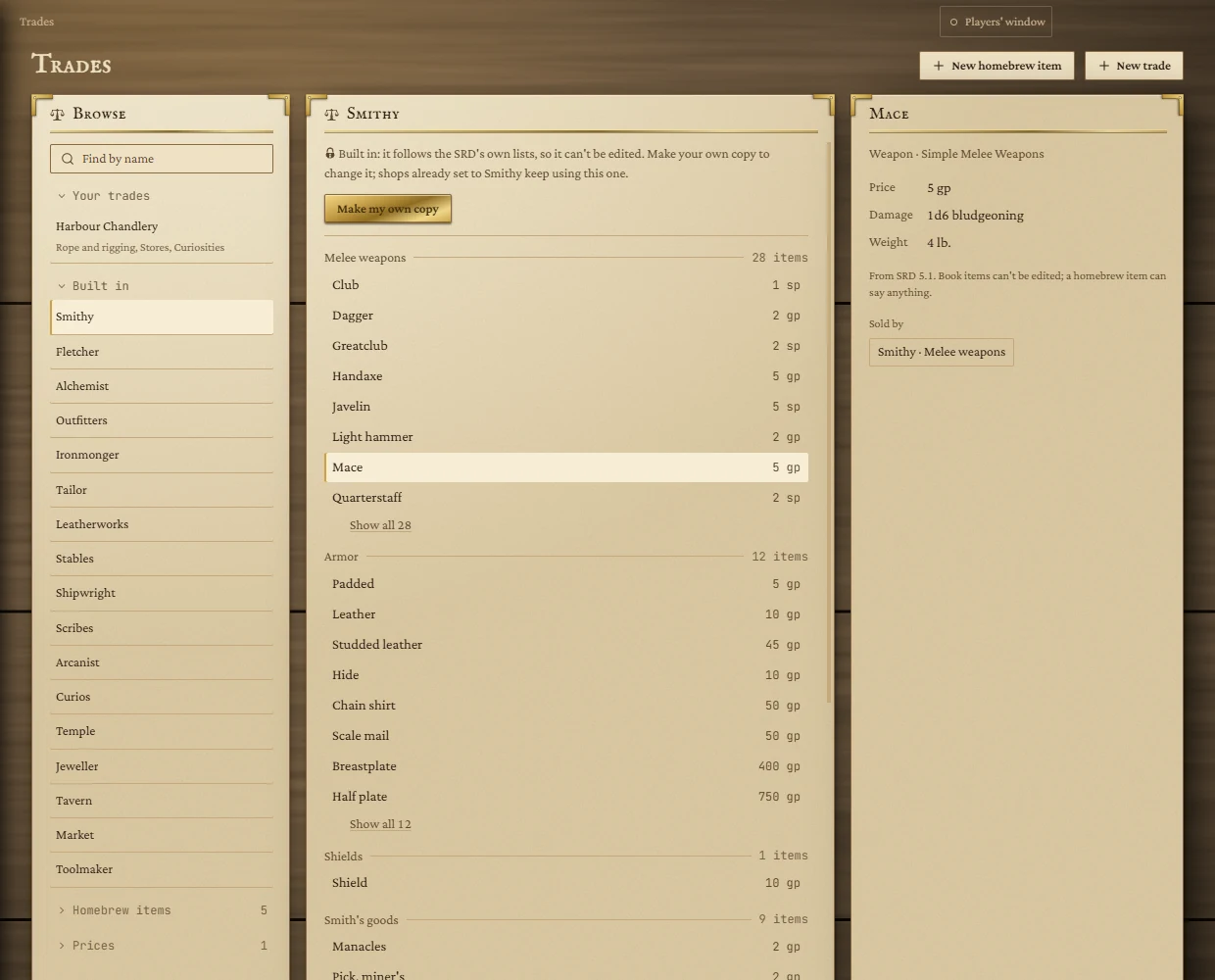
Built-in trades can't be edited, because they follow the SRD. To change one, press Make my own copy: you get an editable copy named, for example, Smithy (mine) under Your trades. Shops already set to the built-in trade keep using it until you switch them.
Each category shows its first eight items; Show all lists the rest. Click an item to see its kind, price, statistics and where it comes from on the right, along with every trade that sells it. Book items can't be edited.
Your own trades
Press New trade to start an empty one, or copy a built-in trade. Then:
- Rename it: click its name at the top of the card, type, and press Enter (Esc cancels).
- Categories: Add a category at the bottom; click a category's name to rename it; the cross beside it removes it.
- Add items: press Add items under a category, search, tick as many SRD and homebrew items as you like, and press Add. If what you typed doesn't exist, New homebrew item makes it on the spot.
- Reorder: drag a row by its grip to move it within a category or into another one.
- Take an item out: the cross on its row. An Undo bar stays for eight seconds.
- Duplicate or delete: the ••• button beside the trade's name. Deleting asks first; shops set to that trade keep their stock but have no trade until you pick another on their Shop tab.
Homebrew items
Press New homebrew item, or click one under Homebrew items, to edit it on the right. Changes save as you make them.
| Field | What it does |
|---|---|
| Rarity | Not magic, or Common to Legendary. |
| Price | A fixed price such as 2 gp 5 sp (or a plain number for gold). A magic item can instead take From its rarity, rolled in that rarity's range each time a shop stocks it. A non-magic item with no price shows ask in a shop. |
| A shop holds | The fewest and most a shop stocks at once. Leave blank for the usual rule: cheap things by the dozen, dear things one or two. |
| Description | Up to 400 characters, shown when you hover the item in a shop and on the Price Board. |
| Sold by | Every trade and category that carries it. Add it to a trade from that trade's own Add items. |
Delete item… takes it out of every trade that sells it. Shops that already stock it keep what's on the shelf.
Magic items by rarity
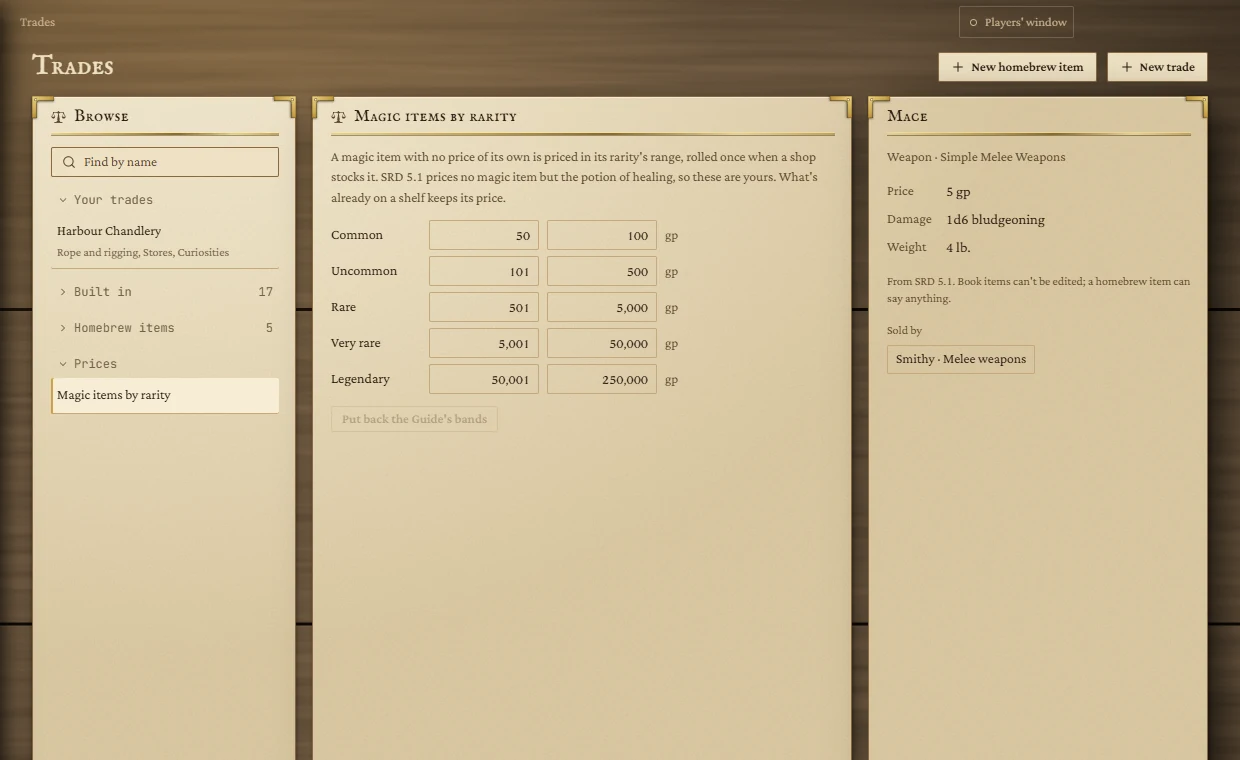
The SRD prices no magic item except the potion of healing, so magic prices are yours to set. A magic item with no price of its own is priced within its rarity's range, rolled once when a shop stocks it. The starting bands are:
| Rarity | Lowest | Highest |
|---|---|---|
| Common | 50 gp | 100 gp |
| Uncommon | 101 gp | 500 gp |
| Rare | 501 gp | 5,000 gp |
| Very rare | 5,001 gp | 50,000 gp |
| Legendary | 50,001 gp | 250,000 gp |
Type a new number and press Enter or click away to save it. A change applies from the next restock; anything already on a shelf keeps its price. Put back the Guide's bands restores the table above.
Limits
Up to 60 trades, 24 categories per trade, 400 items per category and 500 homebrew items. Names are up to 60 characters.