NPCs
A roster of people. Drop in a whole crowd as names that cost nothing, and flesh out the one the party actually talks to: a person to play, and numbers if it comes to blows.
- Default size
- 7 × 9 (smallest 5 × 6)
- More than one
- Yes, each with its own roster
- Works with
- Name Generator, Initiative, Store Inventory, Notes
Bringing people in
- Drop names from the Name Generator onto the strip at the top, one or a whole selected crowd. They arrive as name only, newest first.
- Add an NPC makes a random, fully rolled person at the top of the list and opens them.
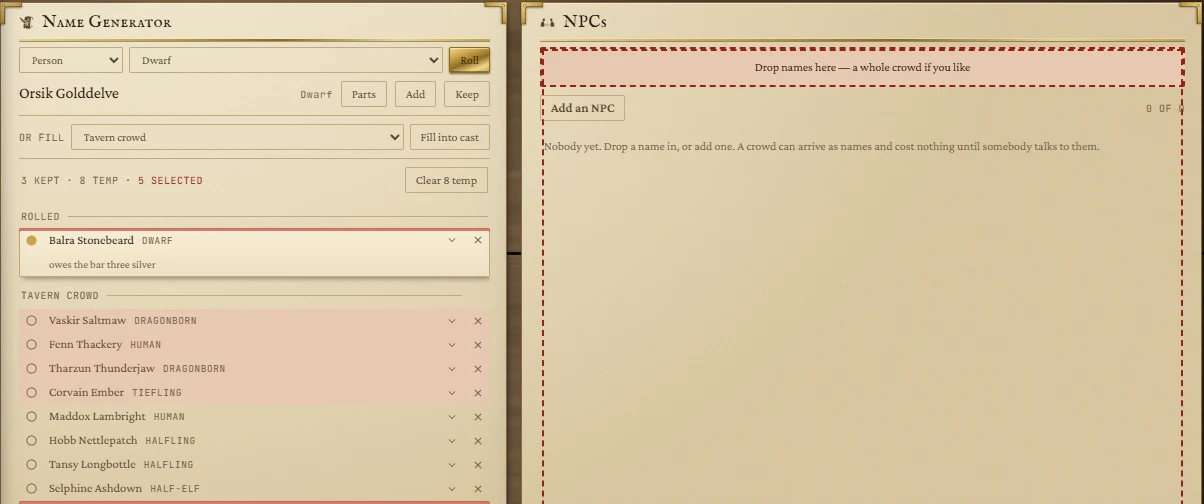
A name already in this list is refused, and the strip says so. Each row shows the name, their role, and a short summary such as Fighter 5 · AC 18. The counter at the top right shows how many are fleshed out of how many in the roster.
Fleshing someone out
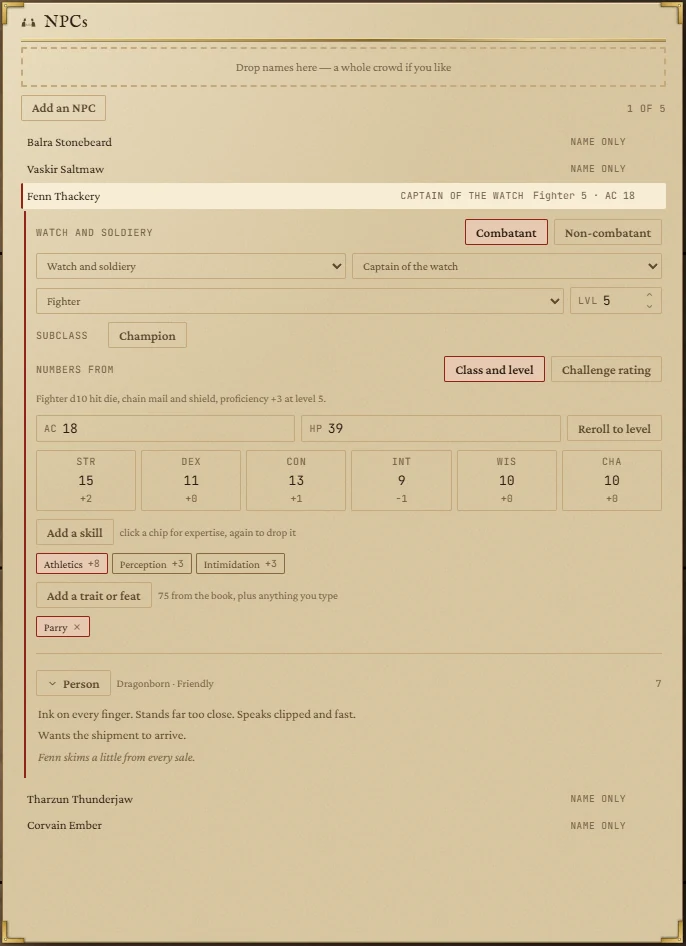
Click a row to open it. A name-only row offers Flesh out, which rolls everything below. You can change any of it.
Who they are
- Combatant or Non-combatant. A non-combatant has no rating and no traits, but keeps armour class, hit points, abilities and skills, because anyone can be attacked.
- Walk of life (Townsfolk, Watch and soldiery, Criminal, Faith, Gentry, The wilds, Arcane, The arena) and a Role within it. The walk decides which ability leads.
- Class (optional), with a level and a subclass. The subclass picker shows the class's own subclasses first; the one in the SRD is marked with a dot. You can borrow another class's, or type your own and press Enter.
Their numbers
With a class, choose where the numbers come from:
- Class and level: hit points by the book's rule (the full hit die at 1st level, then the die's average plus Constitution each level), armour from what the class usually wears, and proficiency by level.
- Challenge rating: a slider from CR 0 to 10. At CR 3 and below the numbers are fitted to the SRD's own humanoids; above that there are too few to sample and the tile says the numbers are interpolated.
AC, HP and all six abilities can be typed over. Reroll to level (or Reroll to CR) rolls them again.
Skills, traits and feats
- Add a skill picks from all eighteen. Click a skill's chip once for expertise (double proficiency) and again to drop it.
- Add a trait or feat (combatants only) offers 75 traits from the SRD's stat blocks, grouped, and the SRD's feats underneath. Type anything else and press Enter to use your own.
The person
Folded, the Person section is three lines you can read aloud: how they look and talk, what they want, and their secret. Open it to see and edit each line: race, looks, manner, voice, wants, secret and mood.
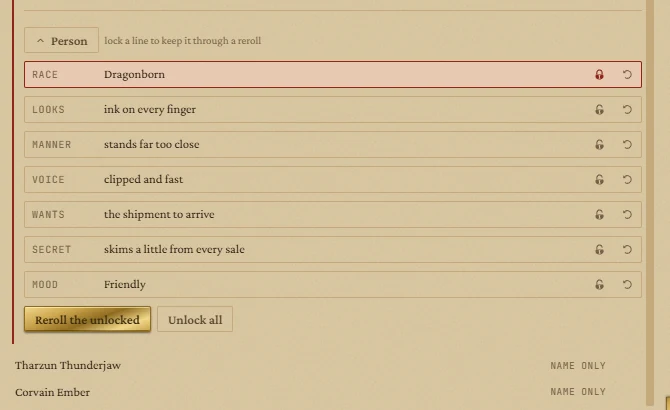
Lock the lines you like and press Reroll the unlocked to roll the rest, or use a line's own arrow to re-roll just that line. Unlock all releases every lock.
Dragging people out
| Drop on | What happens |
|---|---|
| Initiative | They join the fight as a foe, with their AC and hit points. |
| Store Inventory | They become the keeper of the open shop. |
| Notes | They become an @name in the note. |
| Another NPCs tile | They arrive there as a name only. |
Giving NPCs things
Drop a line from a Store tile onto someone's row and they buy it; drop a character's gear from Party Packs and the character hands it over. An open row lists what they hold under Holds; the cross on an item takes it away.
What is kept
The whole roster survives closing the app: every person, their numbers, skills, traits, locks and belongings, and which one was open. The cross on a row removes that person.